
chasetag-arena
chasetag-arena is a game of one-on-one chase tag that runs on your own computer, and its source code is public. Two bodies share a fenced 12 m × 12 m arena. One body chases the other, and the roles swap every round. A tag, a fall or the end of the clock finishes the round, and every round gives each player a score between 0 and 1.
The game runs on your own computer. You start a small local server, and the game opens in your browser, where you watch the rounds live and drive either body with your keyboard.
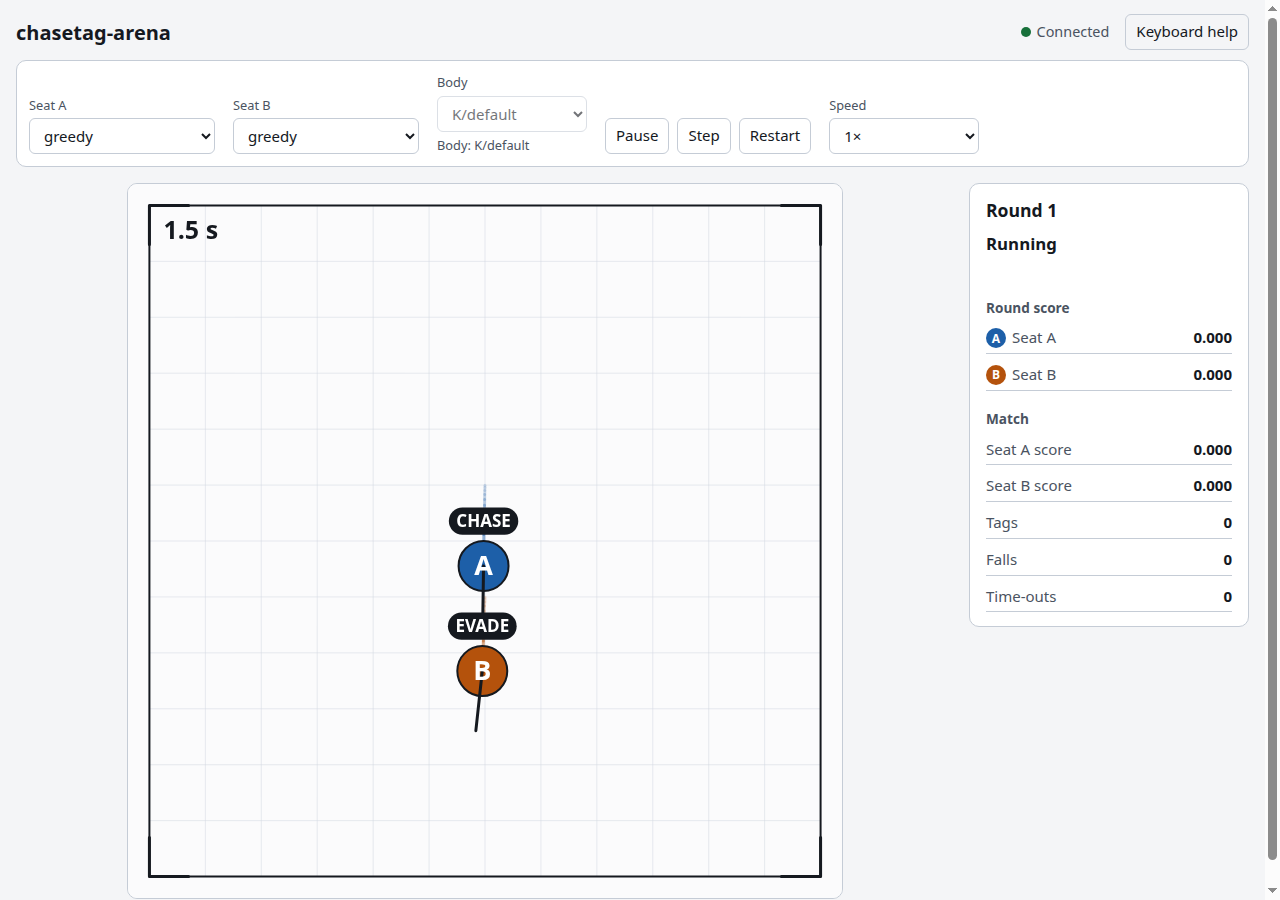
At a glance
| Item | Detail |
|---|---|
| Players | Two seats. Each seat is played by you (keyboard), a scripted bot, or a trained planner. |
| Arena | A 12 m × 12 m square with a fence. Bodies cannot leave it. |
| Round | Up to the round limit: 1 minute by default, or 20 seconds, 3, 5 or 10 minutes. It ends on a tag, a fall, or the clock. |
| Scoring | Each round gives the chaser and the runner a score from 0 to 1. The match adds them up. |
| Runs on | Your own computer, in a browser. No account, and no internet connection needed to play once installed. |
| Needs | Python 3.12, the uv tool, and a modern browser. |
Start in three commands
From a checkout of the repository:
uv sync
uv run chasetag-arena serve
The game opens at http://127.0.0.1:8765/. Stop it with Ctrl+C in the terminal. The
install guide explains each step, and the first round
walks you through your first game.
How the pieces fit
The game has three parts: the browser page you see, a local server that runs the rules, and the players that choose each body's moves.

What you can do
- Watch two bots play, for example greedy against wander, to see how the rules work.
- Play yourself with the arrow keys against any bot.
- Load a planner with
--planner FILEand watch it play one seat. - Train your own planner with the tools in the repository. See Training planners.
- Record your own games, if you choose to, and share them. See Community and data.
- Pause, step, restart and change the speed to study a round closely.
- Read the scores for the round and for the whole match.
Status
| Part | Status |
|---|---|
| Local server, browser page, game loop | Ready |
| Keyboard, bot and planner seats | Ready |
| Scores, match totals, pause, step, restart, speed | Ready |
| Training tools: bot-game datasets, cloning, PPO training and a league | Ready |
| Trained planners and a dataset, published on Hugging Face | Ready |
| Opt-in recording of your own games, with a consent screen | Ready, with a draft consent text |
| Downloading a planner inside the game, with a checksum check | Planned |
| Saving rounds, comparing planners, sharing logs | Planned |
| Desktop installer | Planned |
The roadmap lists every planned item.
Guide
| Page | What it covers |
|---|---|
| Install | What you need and how to install the game. |
| First round | Start the server and play your first round. |
| The game | The arena, the roles, the rules, and how each round is scored. |
| Playing | The screen, the seats, the controls and the keyboard. |
| Planners | What a planner is and how to load one. |
| Training planners | Make a dataset of bot games, clone a starting planner, train it, and rank it in a league. |
| Community and data | The ChaseTag Arena organization on Hugging Face: the dataset, published planners and how to contribute. |
| Troubleshooting | Common problems and how to fix them. |
| How it works | The architecture, the timing, and why the browser never decides the rules. |
| API | The HTTP endpoints, the frame format and the control messages. |
| Contributing | Tests, lint, diagrams, screenshots and the docs build. |
| Roadmap | What is ready and what is planned. |
| Contributor dashboard | Every contribution issue, and which ones you can take now. |
| License | What you may do with the game. |