Playing
The page controls the game running on your computer. Every control sends one request to the server, and the game applies it on its own thread, so the rules are never decided in the browser.
The screen
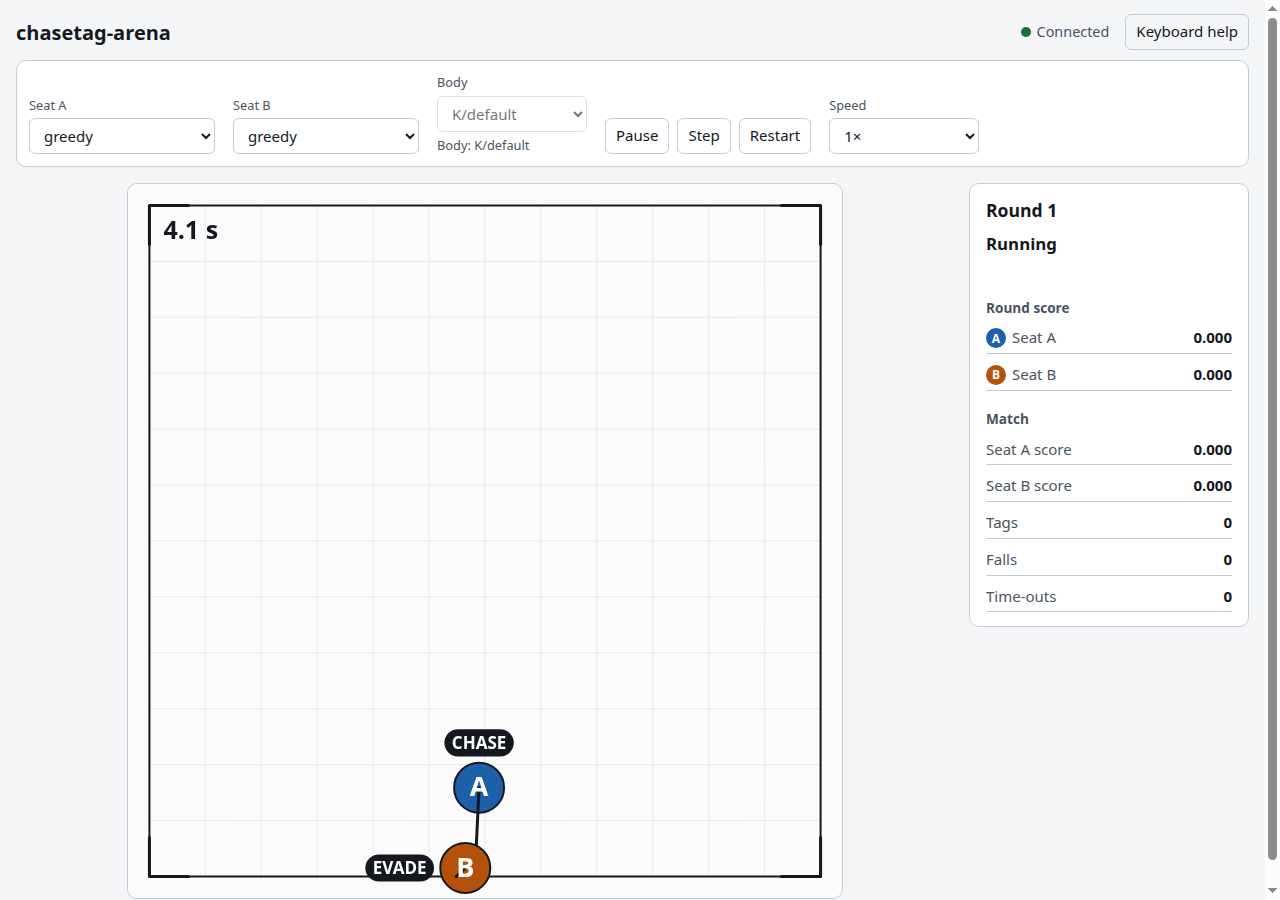
| Part | Where | What it shows |
|---|---|---|
| Seat selectors | Top row, Seat A and Seat B | Who plays each body. |
| Body | Top row | The body model in use. Only K/default exists today. |
| Playback buttons | Top row | Pause or Play, Step, Restart. |
| Speed | Top row, right | The playback speed. |
| Arena | Middle left | The fence, the grid and the two bodies. |
| Clock | Top-left corner of the arena | The game time of the round, in seconds. |
| Connection | Top right | Connected, Reconnecting or Offline. |
| Round panel | Middle right | The round number, the phase, the round score and the match totals. |
| Keyboard help | Top right | Opens the list of keys. |
| Quit | Top right | Stops the game server on this computer, after you confirm. It shows only when the page was opened at 127.0.0.1, localhost or [::1]. |
| Contribute games | Top right, only with --contribute |
Opens the consent screen, and the controls for your recorded games. |
Reading the arena
- Body A is blue and body B is orange.
- A CHASE or EVADE label sits next to each body and shows its role in this round.
- A short line from the centre of each body points in its heading, the way it faces.
- The trail behind each body shows where it has been during the round.
- When a round ends with a tag or a fall, the arena flashes once at the point of the event.
Seats
Each seat is one body. Choose who plays it from its selector.
| Choice | Who plays the seat | How it plays |
|---|---|---|
keyboard |
You, with the arrow keys | Drives the body directly. See Keyboard. |
greedy |
A bot | Chases by heading straight at the other body. When running, it heads straight away from it and keeps off the fence. |
intercept |
A bot | When chasing, it aims at where the other body will be, assuming it keeps its speed. When running, it plays as greedy does. |
wander |
A bot | Drifts in a smooth random direction at about 60% of the top speed, and keeps away from the fence. |
idle |
A bot | Never moves. |
fallback |
A bot | A cautious bot. It chases or runs at 1 m/s, a speed below the limit, and it keeps clear of the fence. |
planner |
A trained planner | The planner file given with --planner FILE. The choice is greyed out if no file is loaded. See planners. |
Changing a seat
A change of selector shows Applies next round beside the seat. The new player takes over when the next round starts. A selector never changes the round in progress.
Playback
| Control | What it does |
|---|---|
| Pause | Stops the game from making decisions. The button then reads Play, and the round panel says Paused. |
| Play | Resumes the game. |
| Step | Makes exactly one decision. If the game is running, Step pauses it first. |
| Restart | Starts a new round, and clears the match totals. |
| Speed | Sets how fast decisions come, in wall-clock time: 0.25×, 0.5×, 1× (the default), 2× or 4×. |
Speed changes only how fast the game runs. It does not change the rules, the scores or the outcome of a round.
Keyboard
| Key | Action |
|---|---|
| Arrow keys | Drive the keyboard seat. Up is toward the top of the arena, and right is toward its right side. |
| Space | Pause, or play again if the game is paused. |
. (period) |
Step one decision. |
1, 2, 3, 4 |
Set the speed to 0.25×, 0.5×, 1× and 2×. |
The 4× speed is not on a number key. Choose it from the Speed list.
How the arrow keys drive a body
- The keyboard seat is the seat whose selector is
keyboard. If both seats are set to keyboard, the arrow keys drive seat A. - Each arrow key sets a velocity of 1.5 m/s in its direction. Two arrows together move the body diagonally, and the top speed stays at 1.5 m/s.
- Opposite keys cancel out, so pressing left and right together stops the body.
- The body stops when you release the keys. It also stops if the browser window loses focus, so a stuck key cannot keep it moving.
When the keys do nothing
The arrow keys and the shortcuts are ignored while a list or a text box has the focus. Click an empty part of the page, then press the keys again. Choosing an item from a list gives the focus back to the page.
Scoreboard
| Figure | Meaning |
|---|---|
| Round score | The score of each seat for the round that has just ended. It reads 0.000 while a round is running. |
| Seat A score and Seat B score | The totals over the match, which is every round since the last Restart. |
| Tags, Falls, Time-outs | How many rounds ended in each way since the last Restart. |
For the rules behind the scores, see The game.
Round phases
A round goes through these phases, in this order.
- Running. The bodies move, and the round panel says Running, or Paused.
- Round over. The round ends with a tag, a fall or a time-out, and the panel says which:
- Round over: tagged: the chaser caught the runner.
- Round over: fell: a body fell.
- Round over: time out: the round limit passed, 60 s of game time by default.
- Intermission. The panel counts down Next round in 1.5 s. The round score stays on screen.
- The next round starts. Any changed seats take over, and the bodies return to their starts.
While the page is waiting for its first frame, the panel says Waiting.
Connection
| Status | Meaning |
|---|---|
| Connected | The page receives the game. |
| Reconnecting | The connection dropped. The page keeps trying, and it resumes when the server is back. |
| Offline | The computer has no network connection. The page reconnects when it has one. |
When the server stops, the game stops with it. Start the server again, and the page reconnects and shows the game from its new start.
Contribute games
This is off unless the server was started with --contribute. Then a Contribute games button
appears at the top. It opens a consent screen, and nothing is recorded until you agree. While
recording is on, Recording your games shows at the top of the page. The same dialog lets you review
what was recorded, stop, export a package, or withdraw and delete everything. Only rounds where you
play one seat with the keyboard are recorded. See
Community and data for what is recorded and what is not.
Help on the page
The Keyboard help button at the top right opens a short list of the keys. It lists the same keys as the table above.
Phones and narrow windows
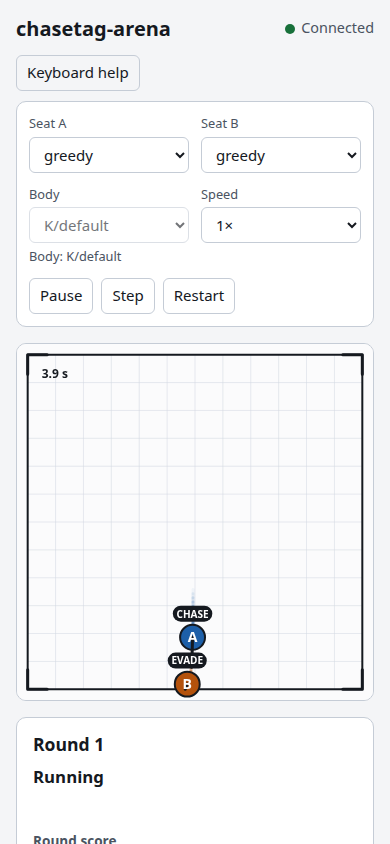
On a narrow screen, the controls stack above the arena, and the panels sit below it. The arena fills the width of the column.