First round
This page starts the server and walks you through a first round. It assumes you have finished the install.
Start the server
From the chasetag-arena folder, run:
uv run chasetag-arena serve
The terminal prints the address and opens your browser:
chasetag-arena: serving at http://127.0.0.1:8765/ (Ctrl+C to stop)
Leave this terminal open. The game runs in it, and Ctrl+C in this terminal stops the game.
The browser did not open?
Copy the address from the terminal, http://127.0.0.1:8765/, and paste it into your browser.
See troubleshooting for more.
Play your first round
Work through these steps. Each step says what you should see.
- Choose seat A. At the top of the page, open the Seat A list and pick
keyboard. The body in seat A is the one you will drive. The label reads Applies next round until the round ends. - Leave seat B as it is. It is set to
greedy, a bot that chases you hard when it is the chaser. - Start. The game starts running when the page loads. Use Pause if you want to stop it, and Play to start it again.
- Drive. Press the arrow keys to move your body. Up moves it toward the top of the arena, and right moves it toward the right side.
- Watch the round end. The round ends when one body tags the other, when a body falls, or when the round limit passes (60 s of game time by default). The round panel says which one happened.
- Read the score. The round score shows what each seat earned in that round. The match totals below it add up every round since the game started or since you pressed Restart.
- Play the next round. After a short pause of 1.5 s, the next round starts, and the roles swap. Changes to the seat lists apply now.
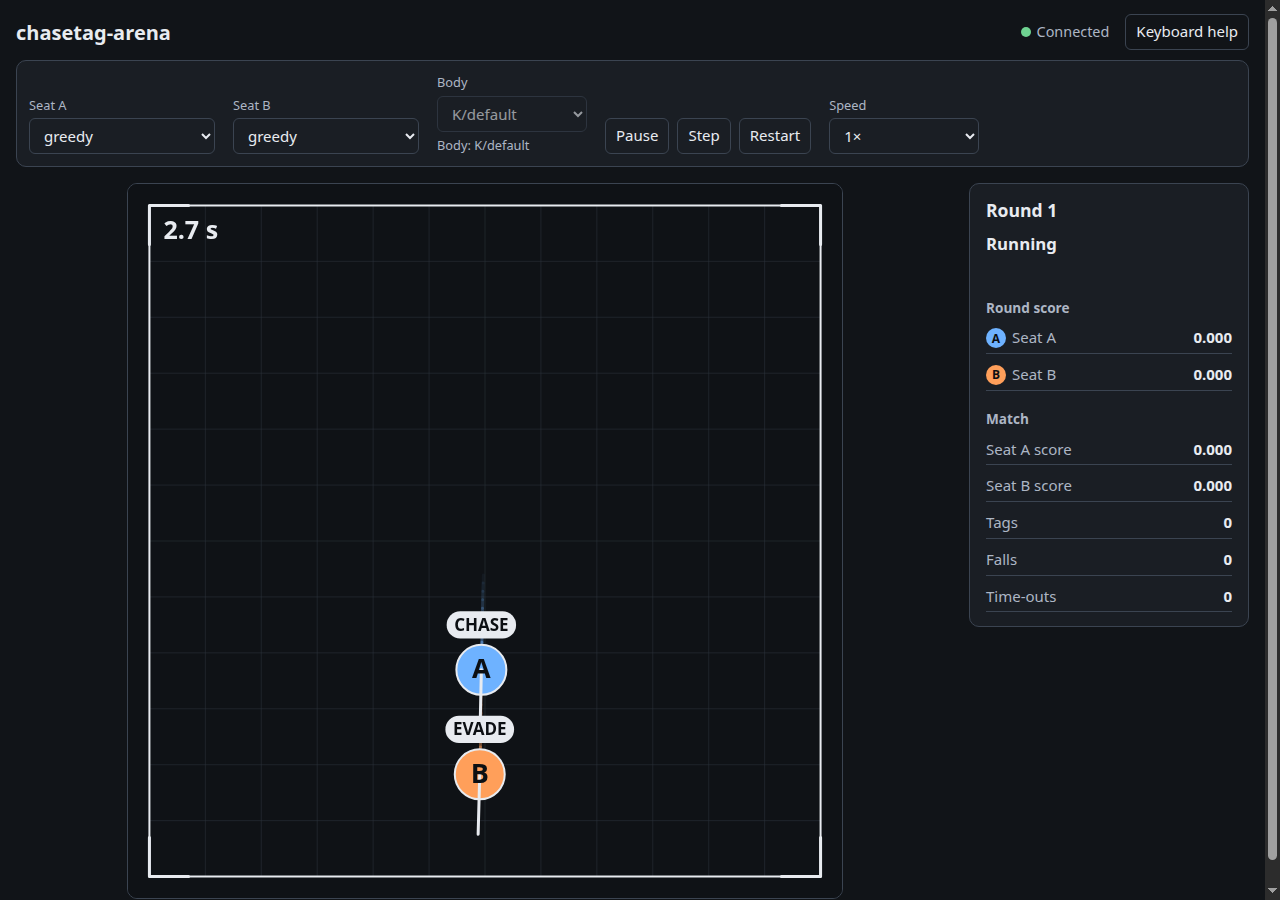
When you are done, press Ctrl+C in the terminal.
Common first choices
| What you want | Set seat A to | Set seat B to | Notes |
|---|---|---|---|
| Play yourself against a bot | keyboard |
greedy |
The default bot is a sensible opponent. |
| Watch two bots | greedy |
wander |
Good for learning the rules without playing. |
| Practise a tag | keyboard |
idle |
idle never moves, so you can practise closing in on a still target. |
| Watch a planner | planner |
greedy |
Needs a planner file. See planners. |
Options for serve
| Option | Default | What it does |
|---|---|---|
--host ADDRESS |
127.0.0.1 |
The address to listen on. The default lets only this computer connect. |
--port N |
8765 |
The port to listen on. 0 picks a free port and prints it. |
--no-browser |
off | Print the address without opening a browser. |
--planner FILE |
none | A planner file for the planner seat. Without it, the planner seat plays the fallback bot. |
--time-limit SECONDS |
60 |
The longest a round may run: 20, 60, 180, 300 or 600 game seconds. 20 is the official rule set that earlier results were recorded under. |
--body NAME |
default |
The body both seats play with: default, dot, limited, sprinter, dodger, spring or stepping. See Bodies. The page can change it. |
--contribute |
off | Lets you opt in to recording your own keyboard games on this computer, to share later. Nothing is recorded until you accept a consent screen. See Community and data. |
--contribute-dir DIR |
~/.local/share/chasetag-arena/contributions |
Where --contribute saves games. |
--store DIR |
none | The research store folder. Needed with --participant. See research logging. |
--migration FILE |
the CHASETAG_LEDGER_MIGRATION variable |
The ledger migration file. Needed with --store. |
--participant PSEUDONYM |
none | Log this session for the participant with this pseudonym. Needs --store. |
--static-dir DIR |
the copy in the package | A folder of page files to serve in place of the built-in page. |
For example, to listen on port 9000 without opening a browser:
uv run chasetag-arena serve --port 9000 --no-browser
Keep the server on this computer
The server has no sign-in. Anyone who can reach it can control the game. Use the default
--host unless you know your network and need another address.